Have You Ever Wondered?
When you open a website, everything feels instant.
Pages load. Images appear. Buttons work.
It feels simple.
But here’s something most people never think about:
What makes a website actually work behind the screen?
Not design. Not colors. Not text.
Something deeper.
Something invisible.
That system is called website infrastructure.
And once you understand it, the internet suddenly stops feeling like magic and starts feeling like a system you can actually understand.
Website infrastructure is the foundation of a website that includes hosting, domain, servers, security, and tools that keep the website running smoothly online.
Let’s Start With a Simple Idea
Think about a shopping mall.
When you walk inside, you see:
- Shops
- Lights
- Products
- Decoration
Everything looks smooth and clean.
But what you don’t see is:
- Electricity systems
- Water supply
- Security cameras
- Storage rooms
- Maintenance teams
Without these, the mall would collapse.
Website infrastructure works the same way.
What Is Website Infrastructure?
Website infrastructure is the complete technical foundation that makes a website work on the internet.
It includes everything that helps a website:
- Stay online
- Load fast
- Stay secure
- Store data
- Handle visitors
Think of it like the “invisible engine” of a website.
Simple Breakdown
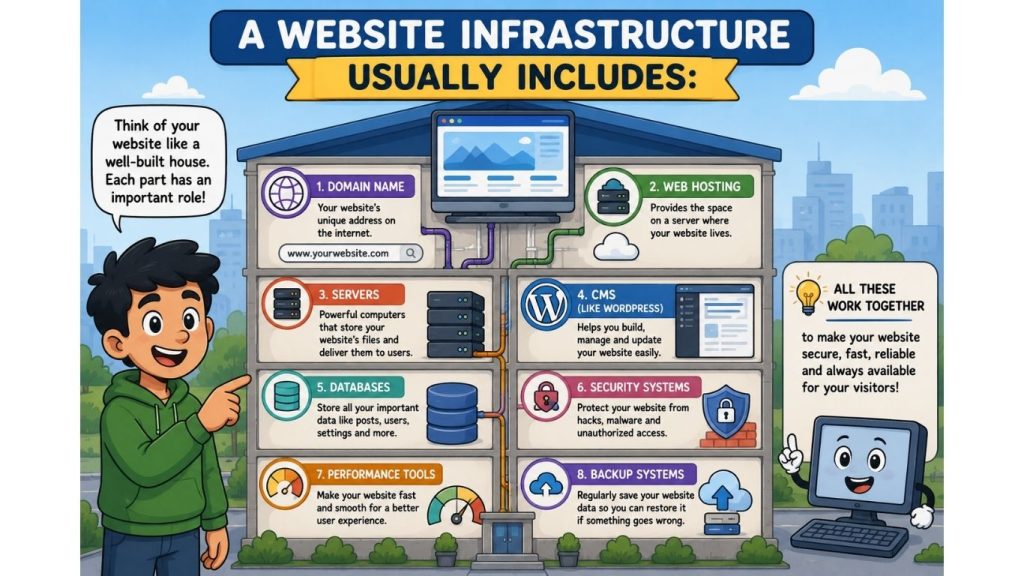
A website infrastructure usually includes:
- Domain Name
- Web Hosting
- Servers
- CMS (like WordPress)
- Databases
- Security systems
- Performance tools
- Backup systems
Why Website Infrastructure Matters
Most people focus only on design.
But design is just the surface.
Behind every successful website, infrastructure decides:
- How fast it loads
- Whether it crashes or not
- How secure it is
- How many visitors it can handle
- How well it ranks on Google
Domain Name: The Address of Your Website
A domain is how people find your website.
For example:
- google.com
- amazon.com
- wikipedia.org
Without domains, we would need to type long numbers like: 192.168.1.1
That would be impossible to remember.
Web Hosting: Where Your Website Lives
Now imagine this:
You have an address… but no house exists there.
That’s what happens without hosting.
Web hosting is the place where your website files are stored.
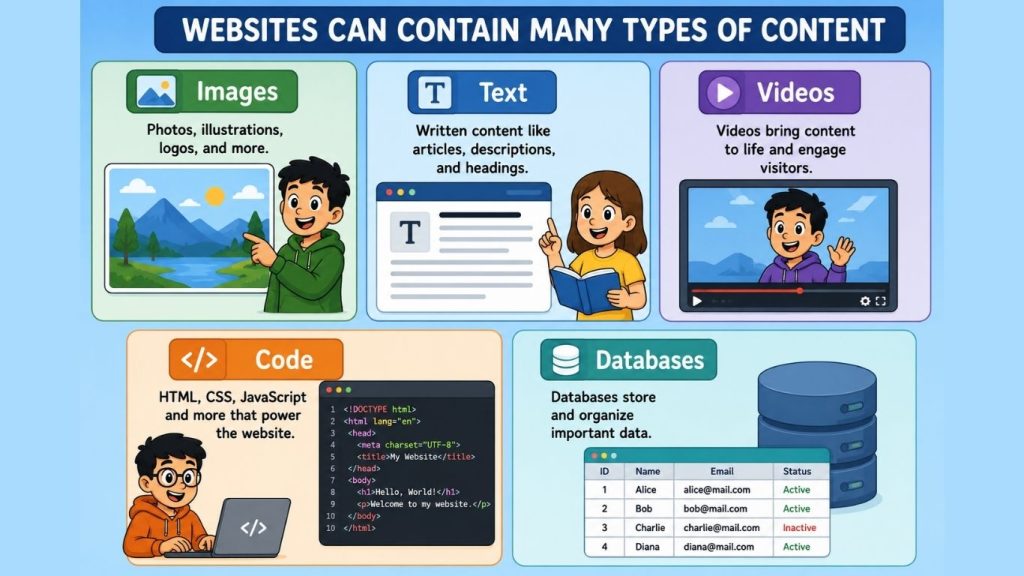
It keeps:
- Images
- Text
- Videos
- Code
- Databases
Servers: The Real Power Behind Websites
Servers are powerful computers.
They:
- Store websites
- Deliver pages to users
- Handle traffic
- Respond to requests instantly
CMS: The Control System
A CMS helps you build websites without coding.
The most popular one is WordPress.
It allows you to:
- Write blogs
- Add pages
- Upload images
- Manage design
- Install plugins
Website Security: Protecting Everything
Now imagine someone breaking into your house.
Scary, right?
The same happens online too.
Hackers try to:
- Steal data
- Break websites
- Inject malware
That’s why security is part of infrastructure.
It includes:
- SSL certificates
- Firewalls
- Strong passwords
- Regular updates
- Backups
Website Speed: Why It Matters So Much
Let’s be honest.
If a website is slow, people leave.
Simple as that.
A fast website:
- Keeps users happy
- Improves Google ranking
- Increases sales
- Reduces bounce rate
What slows websites down?
- Poor hosting
- Large images
- Bad plugins
- Weak optimization
Website Infrastructure vs Website Design
| Design | Infrastructure |
| What users see | What makes it work |
| Colors, layout | Hosting, server, security |
| Front-end | Back-end system |
How Everything Works Together
Let’s connect the full system:
- You type a domain
- DNS finds the server
- Hosting delivers website files
- CMS organizes content
- Security protects everything
- Website loads on your screen
Key Takeaways
- Website infrastructure is the foundation of all websites
- It includes hosting, domain, servers, and security
- It controls speed, safety, and performance
- Good infrastructure improves SEO and user experience
- Without it, websites cannot function